
New Audio Player Features
Every audio lecture now remembers where you were, keeps a list of the tracks you love, and plays at the speed that suits you. These features work on every audio page of your Streaming Access.
Find them above the player
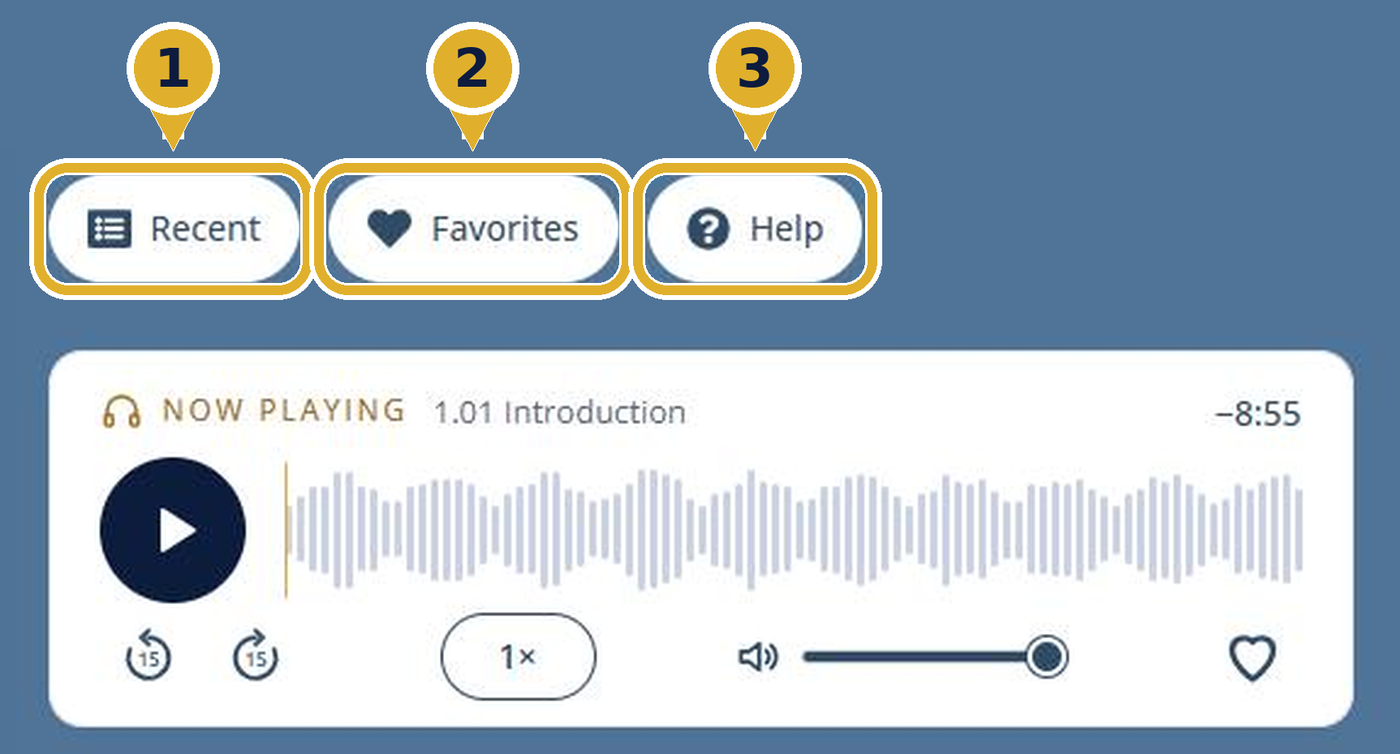
- Recent opens the tracks you listened to most recently.
- Favorites opens the tracks you saved with a heart.
- Help opens a short guide, a quick version of this page.
Recent keeps the tracks you listened to most recently, up to six, newest first, from any program on the site. A track you played more than once shows once. It is the quickest way back to what you were listening to.
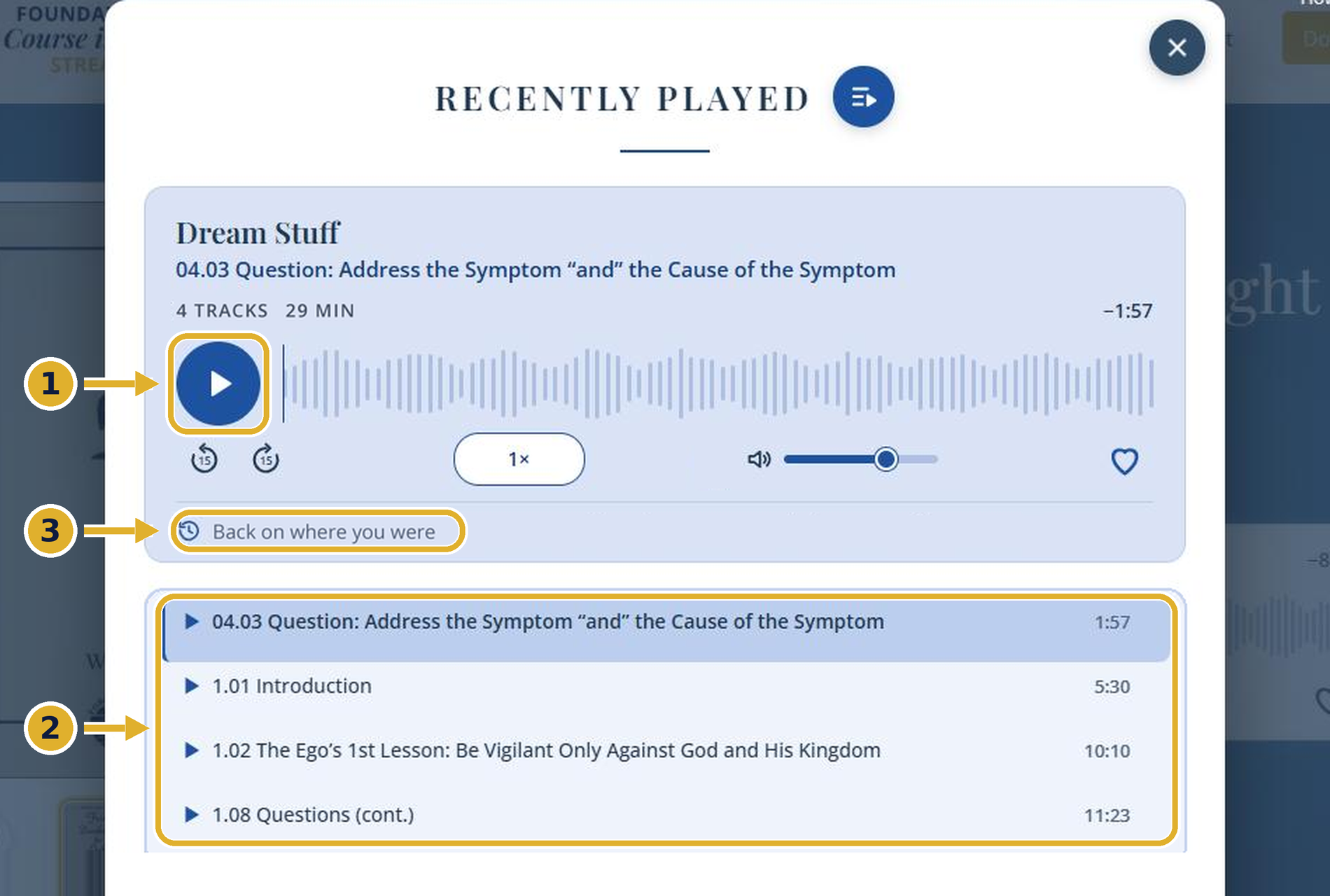
- Select Recent, then press play. You return to the last track you heard.
- Or choose any track in the list. Select a row to play it.
- For every track you choose, this line tells you where you will start. Picks up where you left off shows the time, and Starts from the beginning means exactly that.
How your place is kept: a track longer than 10 minutes picks up at the spot where you stopped. A shorter track starts from the beginning. Your place is remembered on this device and in this browser, and it stays after you refresh the page or sign out and back in.
Favorites is the collection you build yourself. Keep as many tracks as you like, and scroll the list to find them. To listen, select Favorites above the player, then press play or choose any track. The same 10-minute rule applies.
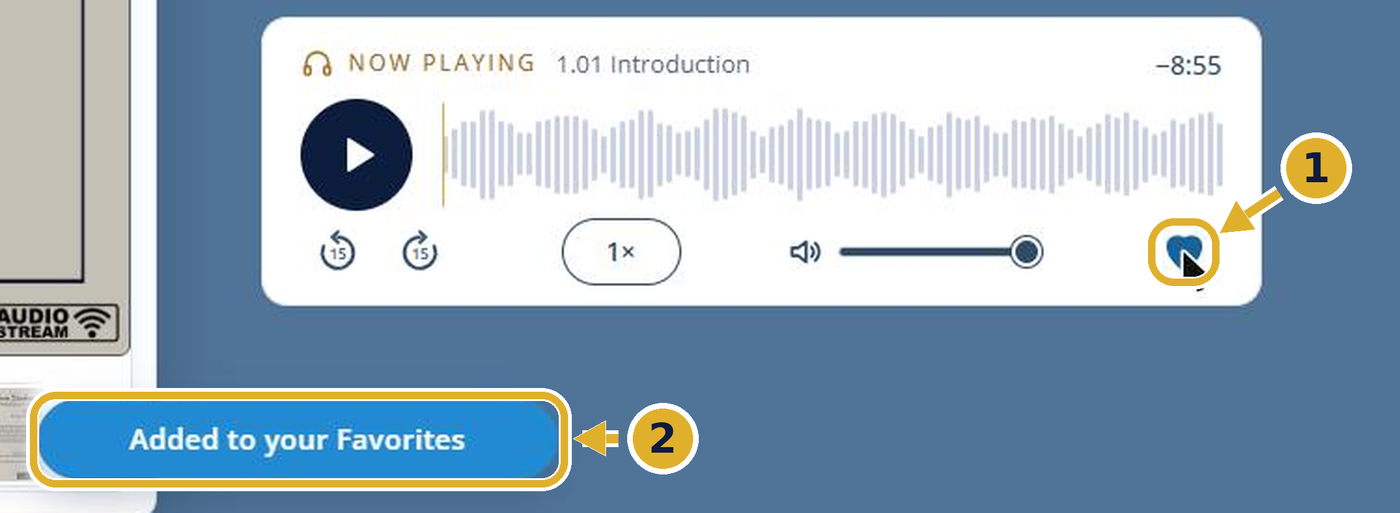
- While a track plays, select the heart.
- A blue message confirms “Added to your Favorites.”
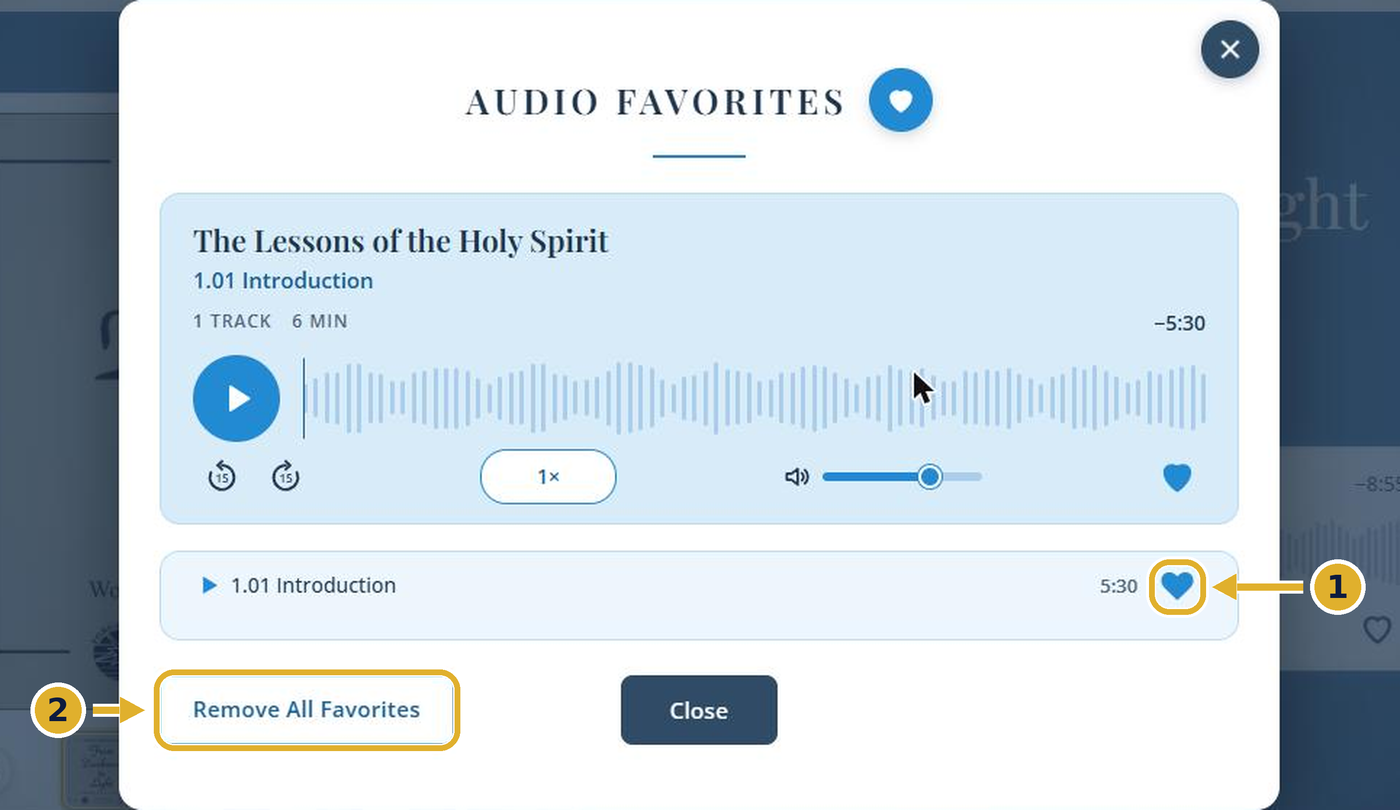
- To remove a track, select its filled heart. A red message confirms “Removed from your Favorites.”
- Remove All Favorites clears the whole list.
Play speeds
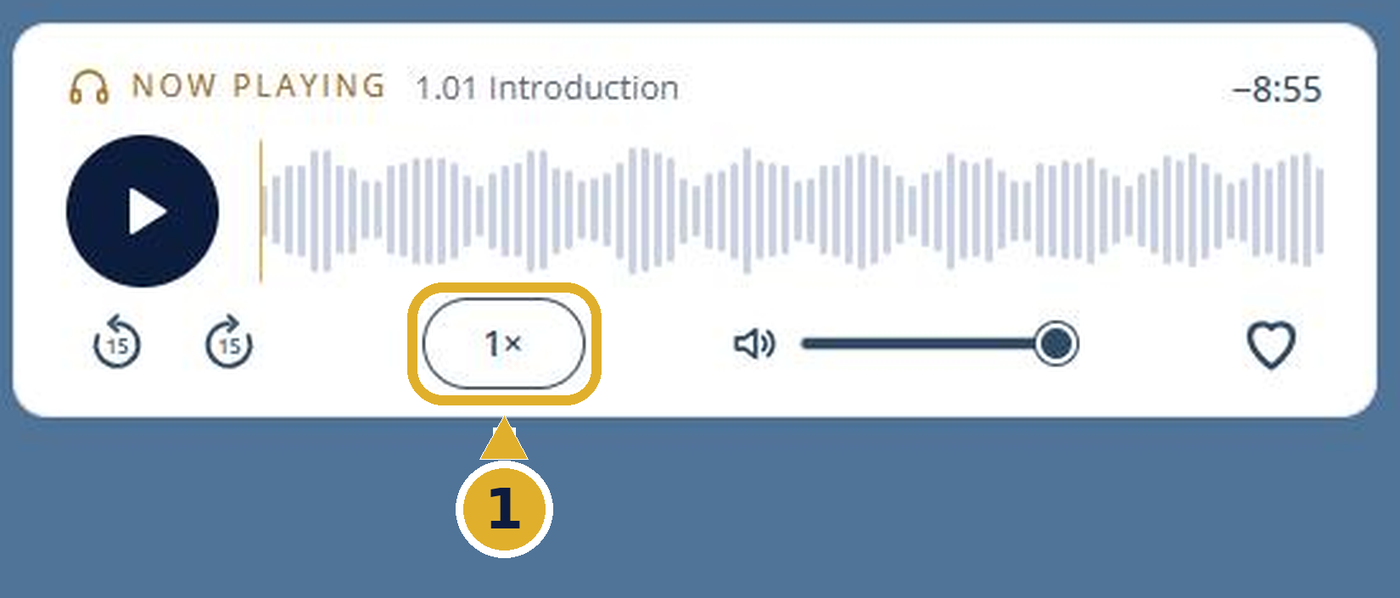
Select the speed button to step through the speeds. Each press moves to the next one, and after the last it returns to 1×. 0.5× and 0.75× are new. They play slower than normal, which can help with careful listening and study. Every page starts at 1×.
- 1×
- 1.25×
- 1.5×
- 1.75×
- 2×
- 0.5×
- 0.75×
- 1×
From your Streaming Access page
You can also reach both lists without opening a lecture. On your Streaming Access page, select Click to view on the Recently Played & Favorites card.

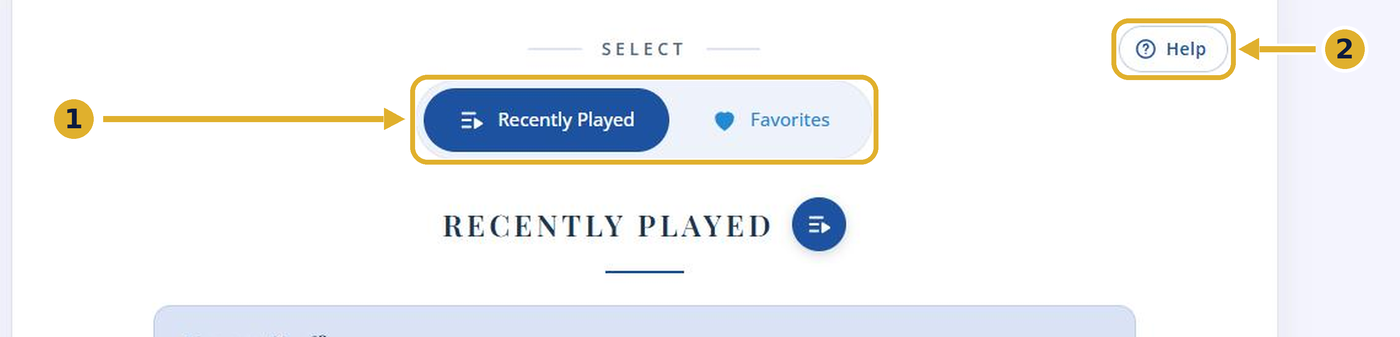
- Switch between Recently Played and Favorites. The players work just as they do on the audio pages.
- Help opens the same short guide that is on every audio page.
Good to know
- The Recent, Favorites and Help buttons are on every audio page.
- Both lists have their own player with the 15-second skip buttons, speed and volume.
- The 15-second skip buttons, volume and the other player controls are explained in the Instructions.
- For captions and translation in Google Chrome, see Live Caption & Translation.